
Next1
R
M
Riley & Morgan
D
J
Drew & Jo
Paste your roster to create a quick meet and go straight to check-in. Or publish a full meet to bring players, payment receipts, and your live open play together.
Court 1
Team A
Alex Santos & Sam Reyes
Team B
Jamie Cruz & Kai Mendoza
Sample session with example players
Already have your player list in a group chat or notes? Paste it into Quick Meet instead of entering each name. Set the essentials and go straight to check-in.
Imported names become guest entries—not matched accounts or verified payments. Use full meet creation when you need a published meet and the paid join flow.
From Reclub, Messenger, Viber or your notes.
Korte cleans up the names and adds each player as a guest.
Pick your courts, the time and how the queue rotates.
Tap names as players arrive, then start the queue.
Publish your meet and share its link. For paid entry, players pay you directly and submit payment proof in the join flow. Open receipts from the roster, review the payment, and confirm players without hunting through chat screenshots.
Bea Cruz
intermediate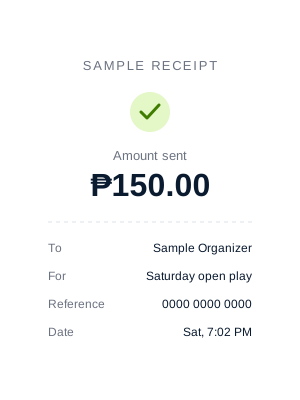
Sample payment review
Move from your meet into the free built-in queue. Rotations and scores stay on your device when the connection drops, and you can even start open play with no signal. Reconnect to save your results and, with Korte Pro, share the Watch link.
Sample up next
Tap Call, and Korte's announcer calls the four players by name and tells them which court to go to. Every new game also shows on the court board, with who is up next and the rankings. Nobody has to shout across the venue.
Please proceed to the court.
Sample court call
Download a session backup while you play. If a device fails, sign in on another one and restore the session from My meets. After the session, fix a wrong score and the standings, Korte Points and profiles update.
Your session saves to your account on its own. Download a file only if you want your own copy.
Backup prepared at 7:42 PM: 24 players, 18 completed matches. Ready for online restore with the same account.
Sample backup and result
Run a stamp card that pays out on its own, or reward your top finishers with a discount or a prize you name. The Organizer Hub shows your regulars, who is drifting away and your leaderboard. Both come with Korte Pro, free to try for 14 days.
 6 of 8
Morgan
Each reward is good for 30 days after you give it out.
Sample stamp card and vouchers
Choose Live guide in the live session header for a short illustrated tour of the main controls, from filling courts to ending the session. Reading it never changes your session.
Read the organizer guidePractice in the sandboxCheck in arrivals and keep the roster accurate. Check in only the players who have arrived. Later arrivals check in from Check in on the roster.
Fill a court, record a result and keep rotating. Fill court sends an eligible lineup from the waiting pool onto an empty court.
Clear the courts, review results and share. Finish or cancel every active match before choosing End Session.
Korte is a pickleball community app for the Philippines. Players discover meets and courts; organizers manage rosters and receipts and run open play; venue partners manage court listings and bookings.
No. For paid meets, pay the organizer through their external payment method and submit a receipt in the join flow. The organizer reviews your proof and confirms your spot. Receipt submission alone is not payment verification.
Yes. Korte works right in your phone's web browser, and you can add it to your home screen like an app. Organizers can also use a tablet or laptop.
Yes. Up next marks an upcoming game when two teammates partnered last game, have partnered 3 or more times, or when two opponents faced each other in both of their last 2 games. Tap Fix pairing and Korte looks for a better lineup: first the same four players paired differently, then a swap with one of the next few waiting players. It keeps your mode's rules, partner locks and DUPR gap, and only changes the game when the new lineup repeats less. Only the organizer sees these notes.
Yes. Tap Call on a court and the organizer's device says the lineup out loud, for example "Calling Bea and Carlo, versus Dani and Enzo! Please proceed to Court 1." Every new game also shows for 30 seconds on the court board, which you can put on a TV connected to your device. Free plans get one spoken call per game. With Korte Pro, Korte calls each new game on its own, and you can call one player or call up to four times a game.
Download a session backup while you play. Sign in on another device with the same organizer account, restore the session from My meets, and keep going. Scores entered after the backup was made are not in it.
Korte Pro adds tools for organizers who run regular open play: the Organizer Hub (your regulars, who hasn't been back lately, and your leaderboard), rewards for your players, a Watch link to share the live courts, saved payment details for posting meets, and more court calls, including an automatic call for every new game and calling a single player. Running the queue stays free. Korte Pro is free to try for 14 days.
Paste a roster for a quick session, or publish a full meet with sign-ups and receipts. Free, for 1–20 courts.